Portfolio
Case Study
Burnerindo
Designing the First Mobile Experience for Burnindo e-Commerce
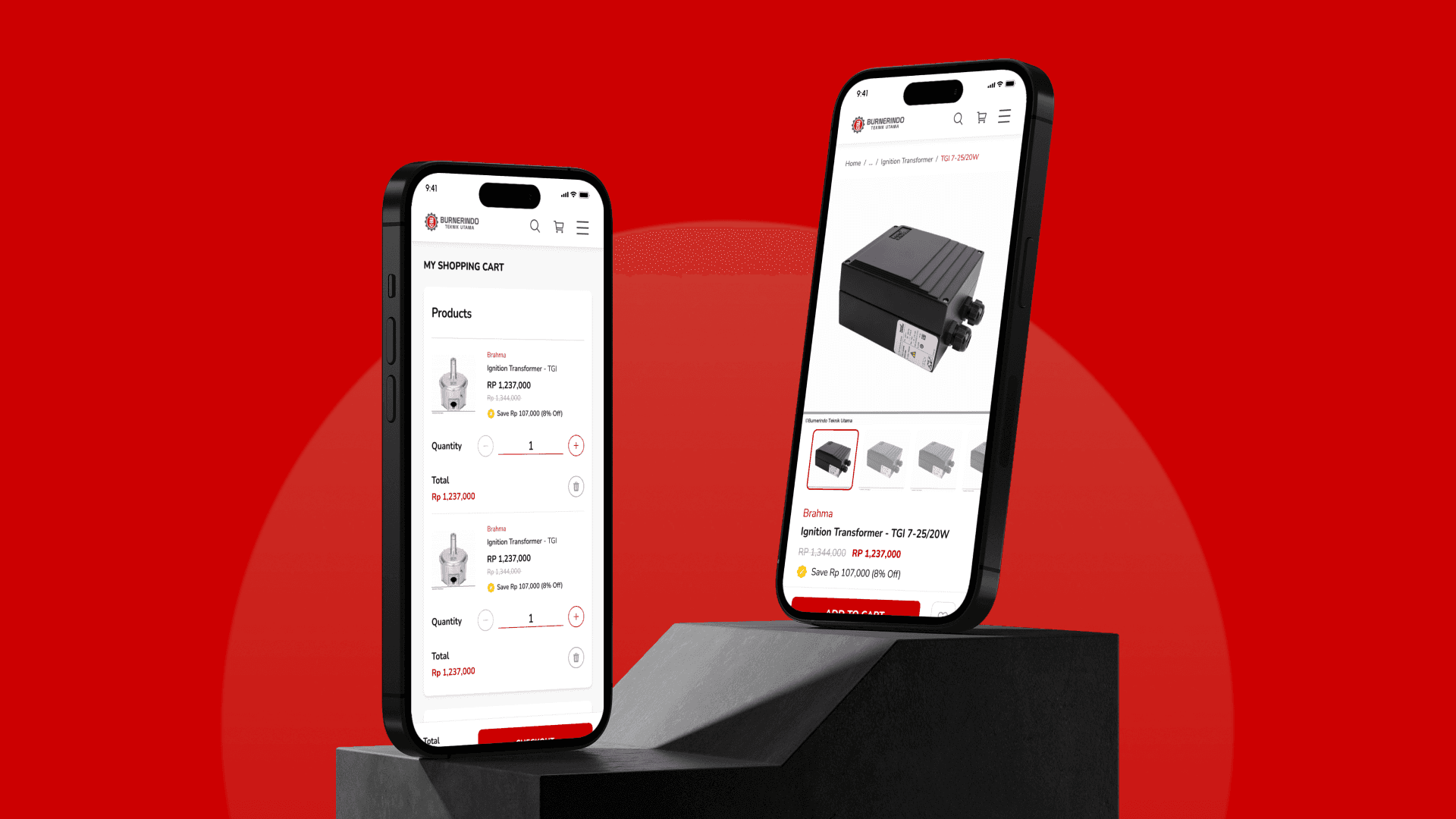
Project at Glance
Burnindo is a B2B e-commerce platform owned by PT. Burnerindo Teknik Utama, specializing in the supply of spare parts for burners and steam boilers. This was my internship project — and what made it unique was that this was the very first website Burnindo ever had, meaning every design decision I made was building their digital presence entirely from scratch.
In this project, I was fully responsible for the entire mobile interface, while the senior designer handled the desktop version. My main challenge wasn't just creating an attractive interface — it was ensuring that B2B users, who are often working in the field, could find and purchase the products they need quickly, right from the palm of their hand.
Period
July — August 2023 (2 Months)
Role
UI/UX Designer
Collaboration
Mobile version (me) · Web version (Senior Designer)
Platform
Mobile Responsive Web
Industry
B2B E-Commerce
Website
Measurable Impact
1x
revision round approved
Mayoritas pengguna berhasil menyelesaikan pendaftaran paket secara instan tanpa bantuan
20+
mobile screens designed
Pengguna menemukan pilihan ISP lokal 3x lebih banyak dibanding pencarian manual.
100%
successfully handed off & Live
Sistem pelacakan otomatis berhasil memangkas beban customer support hingga 60%.
01
Problem Discovery
Business Problem
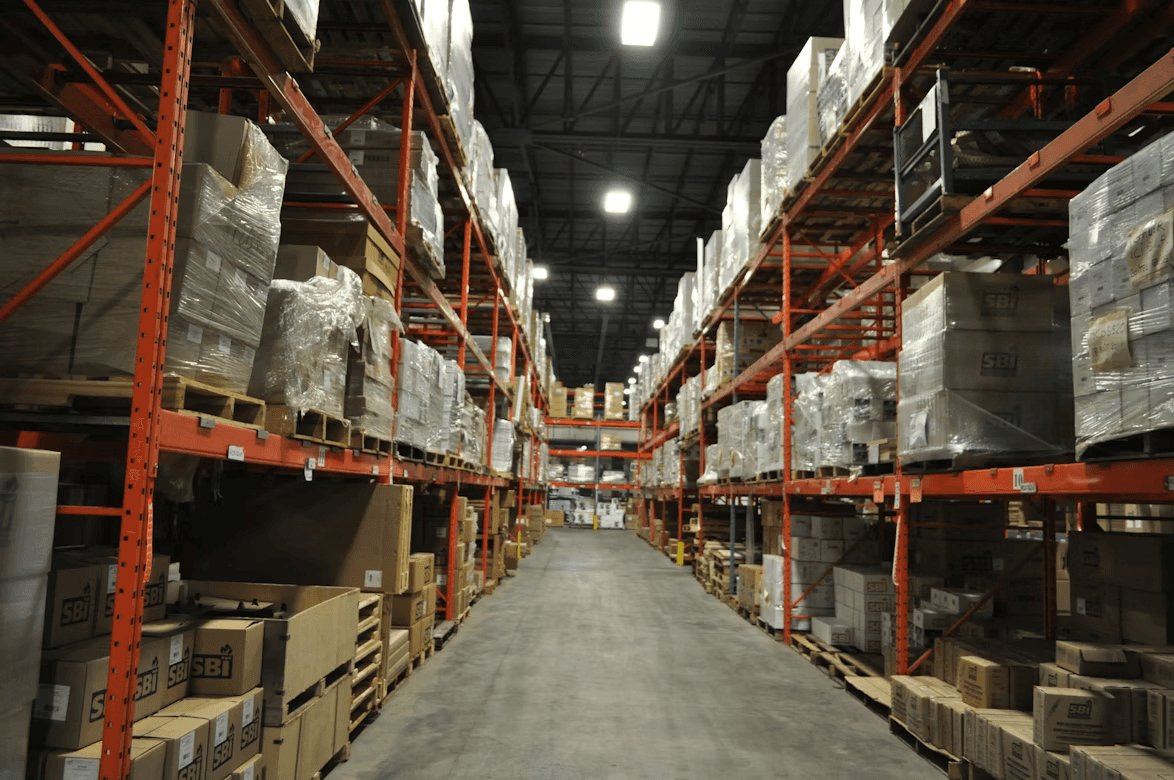
As a company operating in the B2B industry, Burnindo had long relied on conventional methods to serve its customers. Without a digital presence, potential buyers had to contact the company directly just to check product availability — a time-consuming process that limited their business reach.
User Problem
Burnindo's primary users who frequently work in the field and access information through their smartphones. They needed a fast and easy way to search for specific spare parts by brand or product type, view technical product details, and place orders — without having to sit in front of a computer.

02
Design Goals
Ease of Access
Brand Consistency
Streamlined Purchase Flow
03
My Design Process
1. Understanding The Needs
My first step was to thoroughly understand Burnindo's business — who their users are, what products they sell, and how B2B purchasing flows typically work. I also had an alignment session with the senior designer to ensure we were both working from the same design system, so that the mobile and desktop versions would feel like one cohesive product.

2. Structure
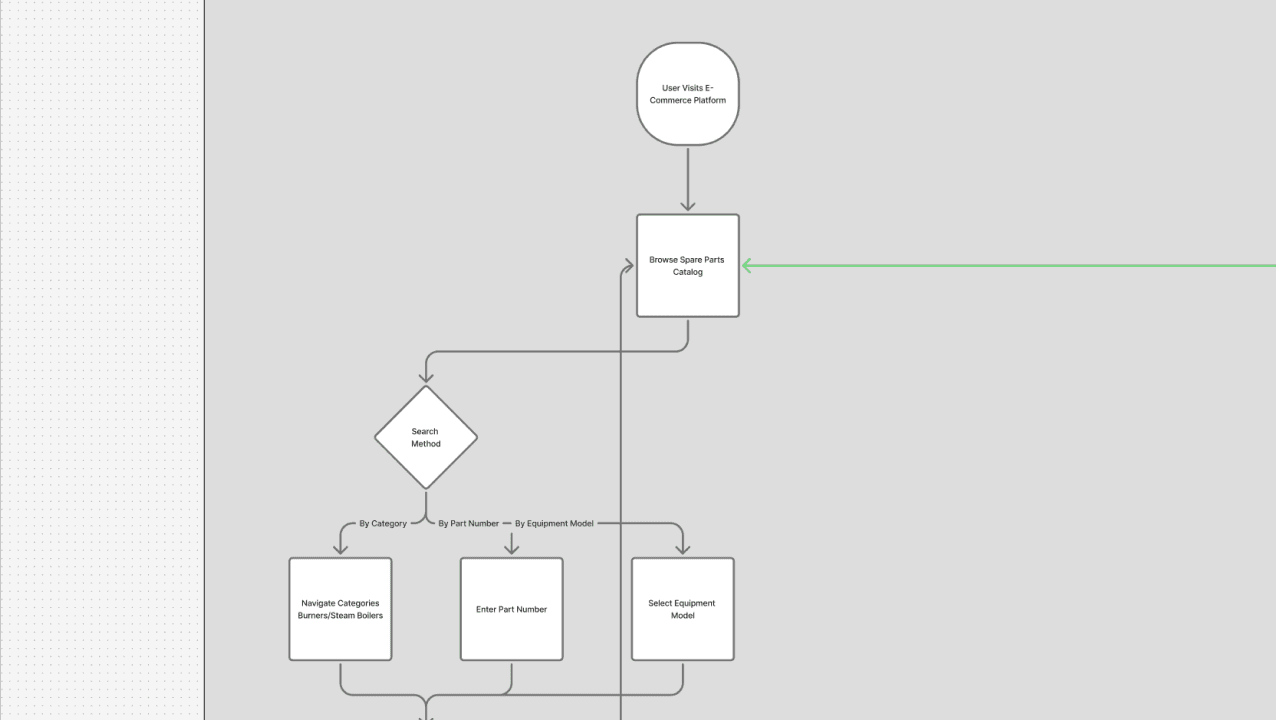
Before jumping into visual design, I mapped out the user flow for each key page. I identified the most critical pages in the user journey — Homepage, Product Categories, and Product Detail — as these are where most purchasing decisions begin. This mapping guided the sequence of my design work.
3. Design
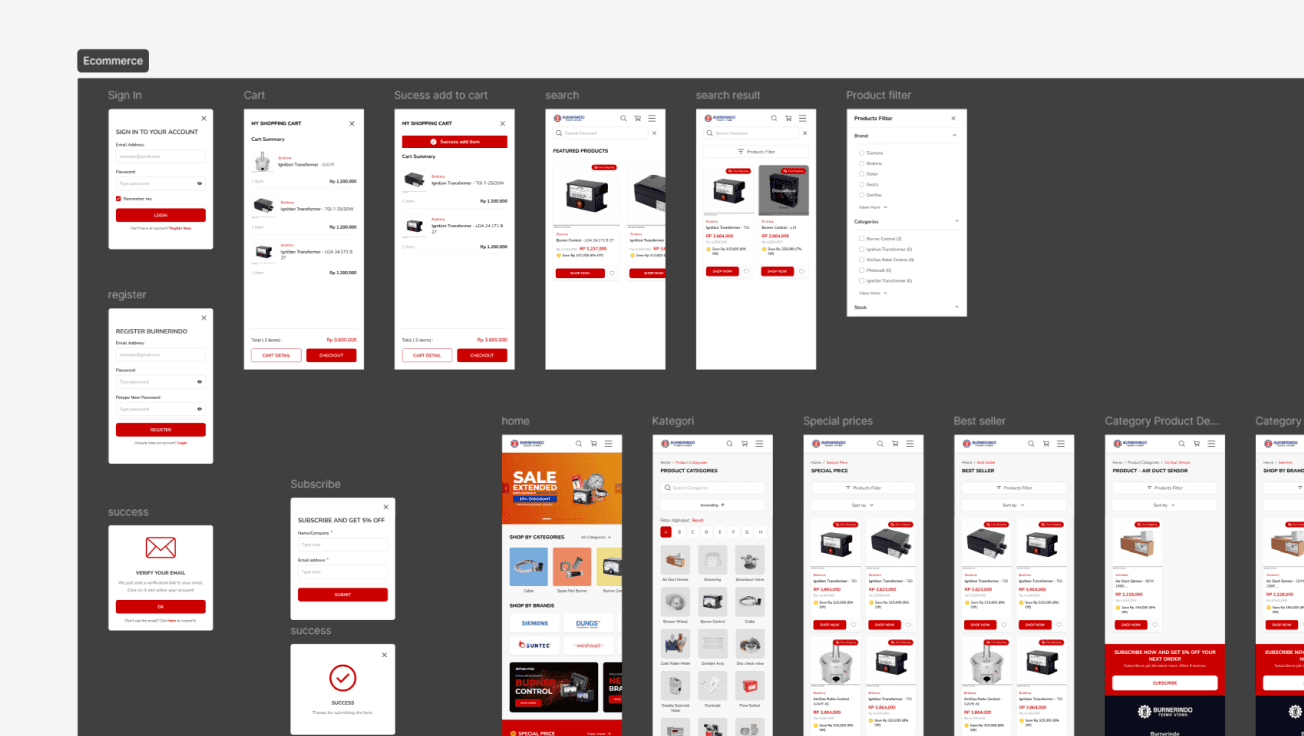
I started by creating a wireframe. Once this foundation was in place, I designed each module progressively — from Homepage, Product Categories, Special Prices, Product Detail, Shopping Cart, through to My Account and Order History.
Review & Iteration
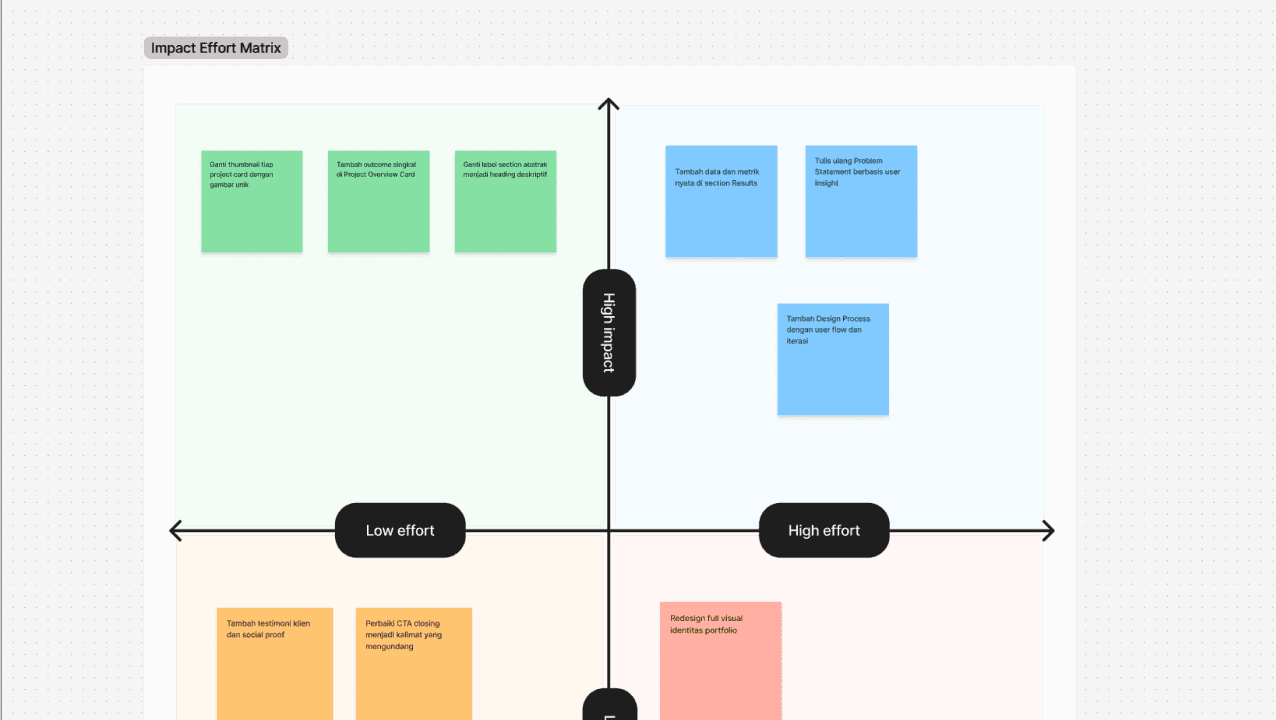
After completing the first draft, I conducted a review session with the PM and senior designer. The feedback received formed the basis of one revision round before the design was finalized and handed off to the development team for implementation.
04
UI Mockups
Homepage
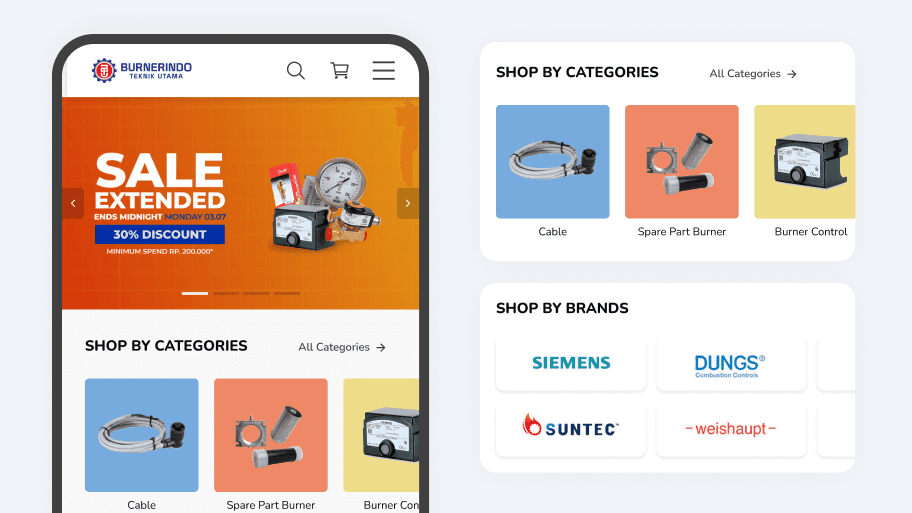
The navbar is designed sticky with quick access to Search, Cart, and Menu so users can switch between pages at any time without losing context. The promotional banner is placed at the very top to immediately surface active offers the moment the app is opened.
Two navigation paths — by category and by brand — are provided simultaneously because B2B users have distinct search patterns. Both paths shorten the purchasing funnel and keep transactional momentum moving forward.
Product Categories
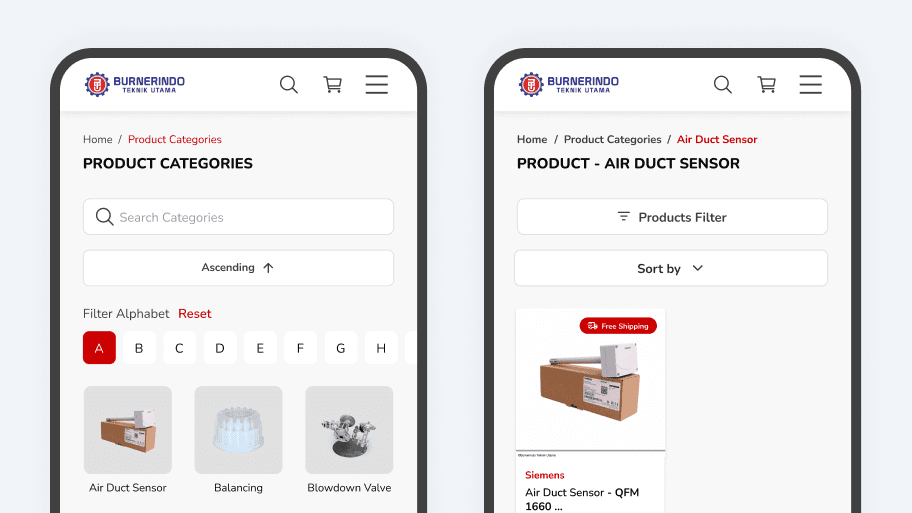
The alphabet filter is designed as the primary feature because Burnindo's B2B users typically already know the product name or brand they need before opening the app. With a single tap, they go directly to the right product without scrolling through hundreds of items.
This search efficiency directly reduces drop-off on the category page and increases the likelihood of users completing a purchase within a single session.
Special Prices
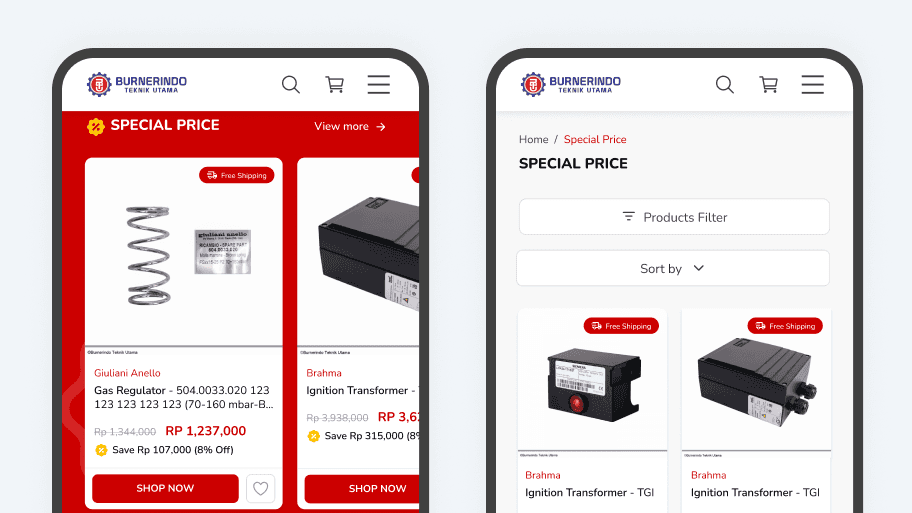
Layered filters by brand, category, and stock availability are designed because B2B users don't come to a promotions page to browse — they want to know whether a product they already need happens to be on offer.
Efficient promo navigation increases conversion from special offers, which is one of Burnindo's key instruments for driving sales volume.
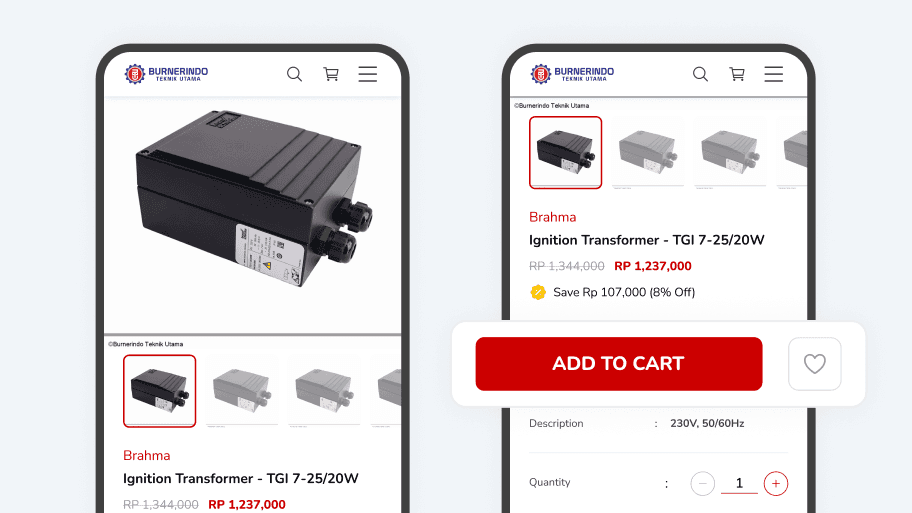
Product Detail
Product information is arranged hierarchically — name, brand, price, then technical specifications — following the natural verification pattern of B2B users before making a purchase decision. The Add to Cart and Buy Now buttons are always visible on screen.
This structure reduces hesitation at the most critical decision point and minimizes friction toward conversion.
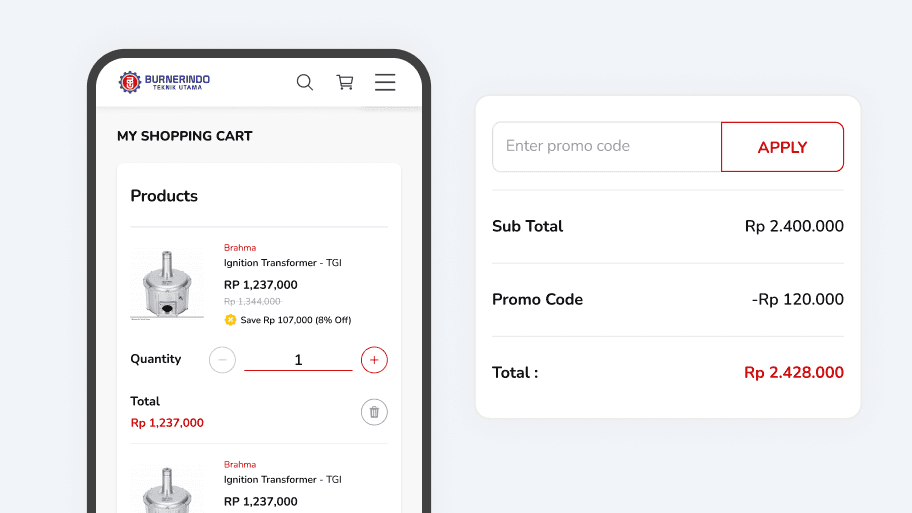
Shopping Cart
All order details — products, quantities, and total price — are designed to appear on a single screen without scrolling, as B2B users need to thoroughly review their order before checking out.
A persistently visible Checkout button at the bottom of the screen eliminates unnecessary steps and directly reduces cart abandonment.
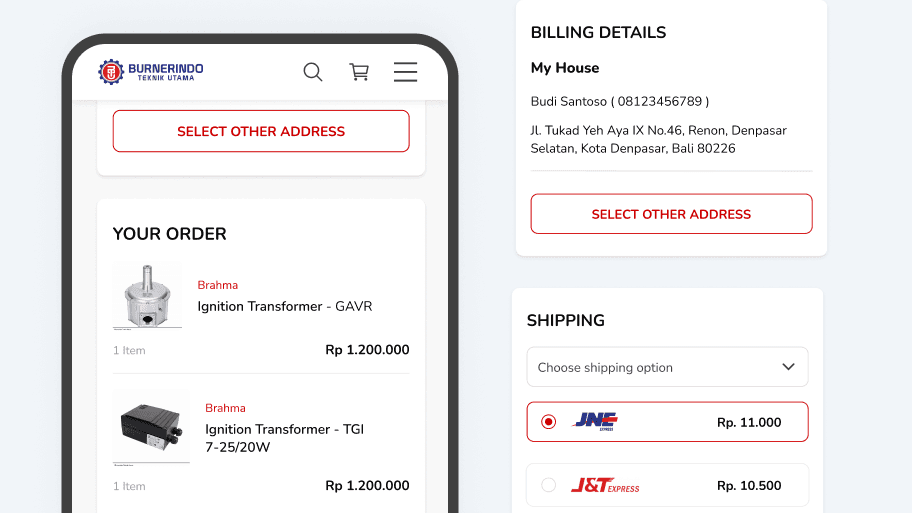
Checkout
The checkout page consolidates order summary, billing details, and shipping options in a single flow without page switching. Billing information is shown upfront with an easily accessible address change option.
Shipping options are displayed visually with prices immediately visible, helping B2B users decide quickly. This streamlined flow reduces transaction abandonment at the final purchase stage.
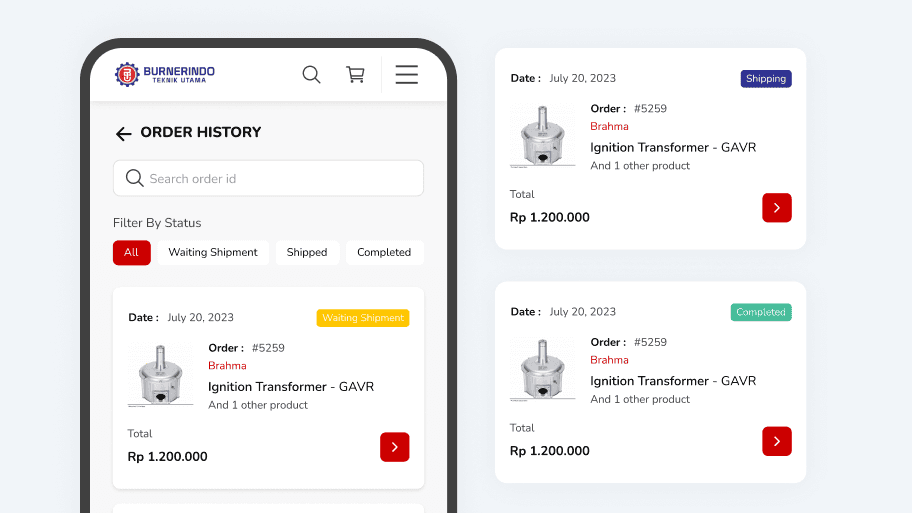
Order History
Order status filters are designed as primary tabs at the very top of the page because B2B users often monitor multiple active orders with different statuses simultaneously. Each order's details are laid out concisely yet completely in a single-row view.
Clear status transparency builds trust with first-time users on the platform, forming the essential foundation for driving repeat purchases.
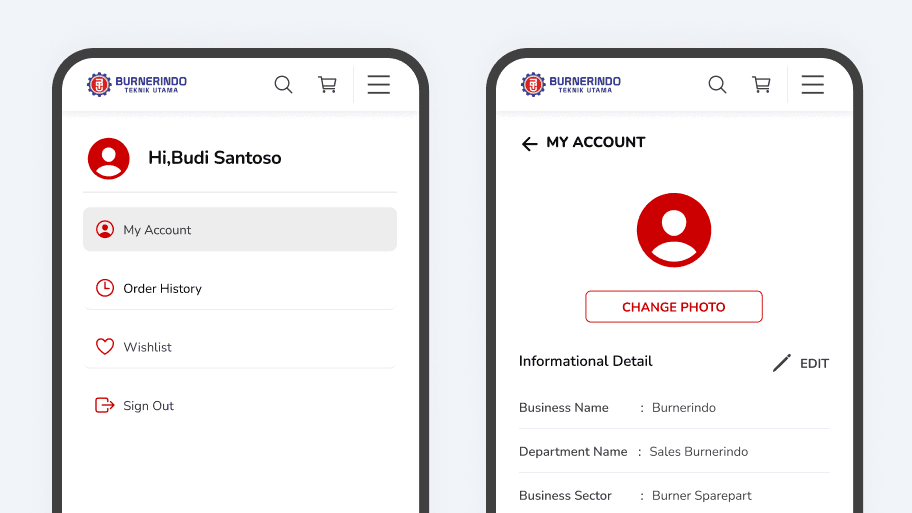
My Account
The profile is designed for a B2B context — displaying business information such as company name, department, and saved shipping addresses, not just personal data. This removes the need for users to re-enter the same information with every order.
Accurate business data also reduces the risk of delivery errors, which is critical for Burnindo's reputation as a newly launched B2B platform.
05
Results
This was the first time Burnindo had ever had a digital presence, and the mobile interface I designed became one of the two main pillars of that platform.
Measurable Impact
100%
successfully handed off & Live
Sistem pelacakan otomatis berhasil memangkas beban customer support hingga 60%.
20+
mobile screens designed
Pengguna menemukan pilihan ISP lokal 3x lebih banyak dibanding pencarian manual.
1x
revision round approved
Mayoritas pengguna berhasil menyelesaikan pendaftaran paket secara instan tanpa bantuan
Lessons & Reflection
“Good design starts with understanding how your users actually work”
This project showed me that B2B users operate differently — they come with a clear goal and want to get things done fast. Moving forward, I want to bring user observation sessions earlier into my process, so every design decision is grounded in real behavior, not assumptions.
Got a product problem?
Let's solve it together.
Available for freelance, team collaboration, or full-time — from research to shipped product.
AVAIBLE FOR WORK & COLLABORATION
Contact Now
10+
Projects Shipped
5+
Happy Clients
3x
Design ROI
4+
Years Experience
Research-driven
End-to-end delivery
Measurable business impact
Multi-domain product